First Cut — Native iOS Video Editing Through a Transcript
A native iOS development build that turns captions into reversible video edits, with tested MP4 export, original audio, and a custom Core Image compositor.
The product problem
A creator has a talking-head take and wants a short, readable video for social media. A traditional editor asks them to manage a timeline before they can fix a sentence. First Cut explores the reverse: work from the transcript, remove the section you do not want, and let the application rebuild the timeline.
This is my independent development project, not a client commission or an App Store release. The name is a working title.
What I built
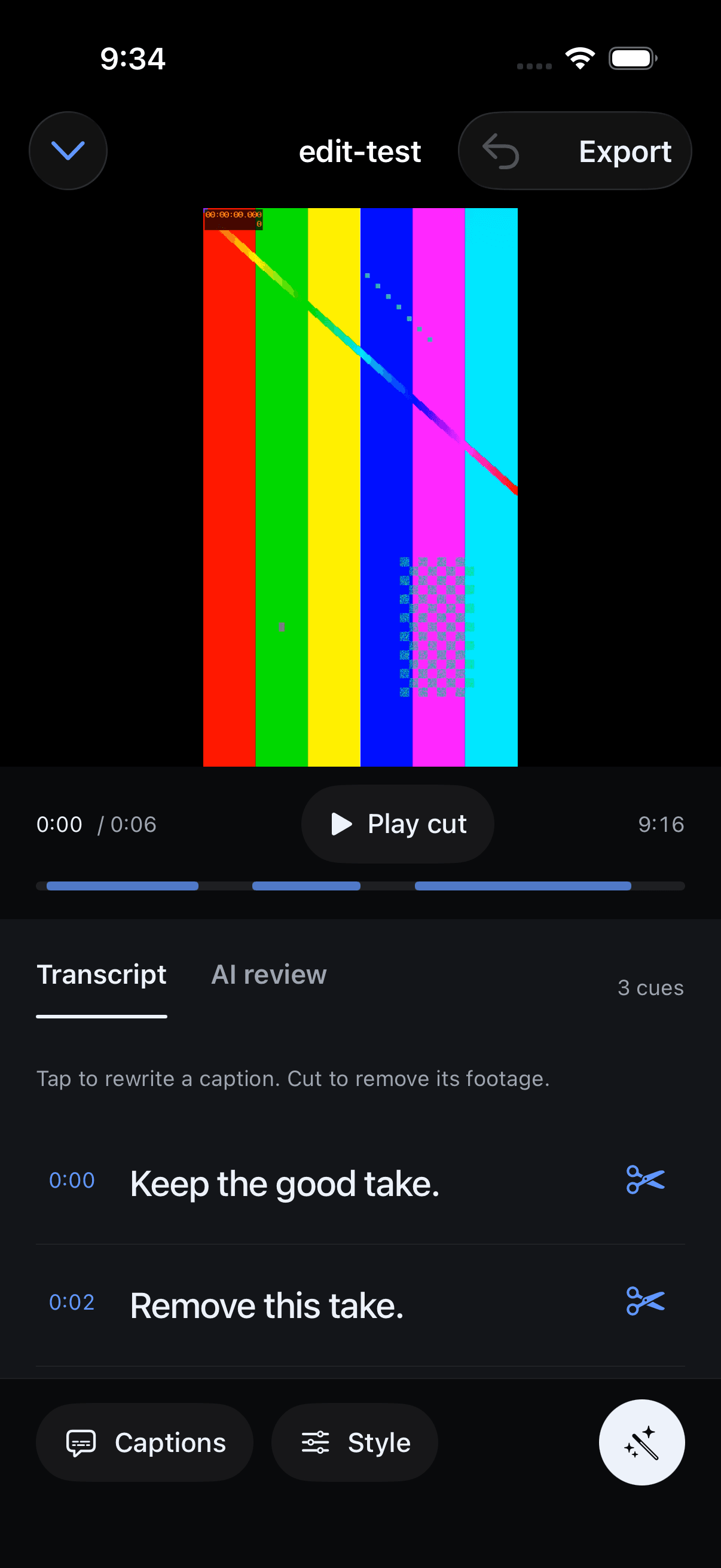
The native SwiftUI application imports a video from Photos or Files into a separate project copy. Caption text and timing can be corrected, imported from SRT, or entered manually. Removing a caption segment removes its time range from the edited composition; undo restores the earlier project state.
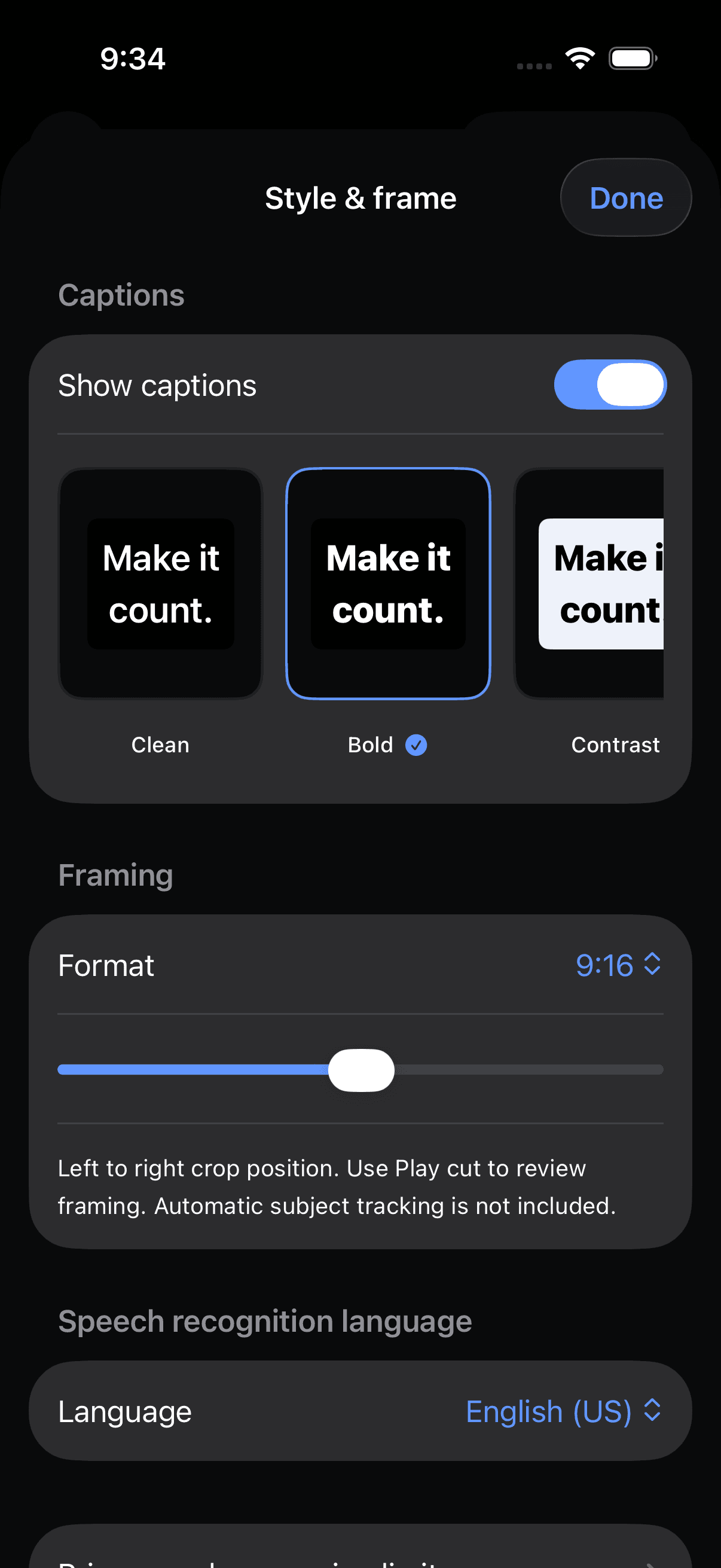
The preview stays visible while the transcript scrolls. Three caption styles and original, vertical, and square framing feed into a real AVFoundation export pipeline. The output is an MP4 with the retained audio plus an SRT file whose timestamps follow the cut, not the original footage.
That last detail is easy to miss in an impressive prototype. A caption that follows its original timestamp after a cut is no longer useful, even if the editor screen looks right.
A failure that changed the architecture
The first captioned export crashed inside the simulator’s Core Animation / IOSurface rendering path. A successful compilation had not proved that the product could finish its main job.
I replaced that export path with a custom Core Image compositor: rasterized caption plates are composited into the relevant video frames during a single export pass. The original clip remains unchanged. This is an example of the work beyond a model-generated interface: reproducing the failure, replacing the fragile integration, and checking the actual output.
What was verified
On September 6, 2026, nine tests passed on an iPhone 17 Pro simulator running iOS 26.2. The integration test used an explicitly synthetic six-second video with audio, removed a one-second segment, and checked the resulting five-second output, 1080 × 1920 dimensions, and an audio track. A burned-in caption frame was inspected visually.
UI tests covered caption correction, cut and undo, style selection, export sharing availability, library/privacy navigation, and large-text access to import. A focused UI rerun passed after the final visual refinements.
These are engineering verification results, not customer productivity numbers.
Where AI belongs
The application includes an on-device speech-recognition path and an optional transcript-only Astra review. The latter requires a user-supplied key and explicit consent; suggested cuts remain subject to human approval. It does not claim to understand vocal delivery or visual quality from transcript text.
Live device transcription and an actual paid model request were not verified in this pass. Neither is necessary to inspect the independently tested manual-caption and export workflow.
What remains before a commercial release
Real-device and language checks, long-clip memory profiling, rotated/HDR footage testing, final branding, privacy disclosures, and monetization still need work. There is no published revenue or retention evidence.
The transferable value
If your product turns AI output into an artifact a customer depends on, the important question is whether the full path works: input, correction, review, generation, and delivery. First Cut demonstrates that product-engineering approach in a media workflow.
Explore native iOS development, compare the project evidence, or map your own first useful version.